

"TMNT Licensing Styleguide"
CD Rom Deconstruction
Most users of the Styleguide would benefit if provided digital files of the pre-approved licensing art instead of scanning or copying the images as provided in the hardcopy version. Also, many users would only request an inexpensive CDRom and forego the expensive hardcopy version altogether. We would need to print far less of the hardcopy version. Under my direction, Mirage Studios was one of the first companies to offer pre-approved licensing art on CDRom. Here's a description of the Styleguide and it's function.
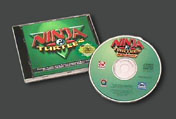 |
When using any software product a positive experience depends on a professional approach to the packaging. Users have seen many different software packages and they will have confidence, or not, based on how well your product is packaged. |
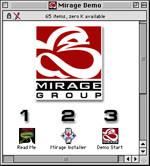 |
Custom icons and window art are part of this packaging effort. The application has to be easy to install and use.It is important to be organized and clear exactly what tasks the user is expected to perform and in what order. It's best to communicate this visually since a large percentage of users will not read the "ReadMe's". You know who you are ;-) |
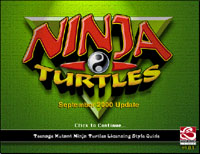 |
This is the Start Up Screen for the Styleguide. There's some flashy transitions and the theme music from the live action TV show plays until the user mouse clicks or the programs times out automatically. The the user is presented with a Welcome screen... |
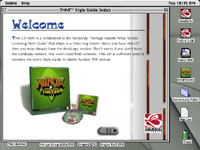 |
The application opens in a window on the users computer desktop. This screen contains some obvious info, such as the fact that there exists a hardcopy version in case it's needed. |
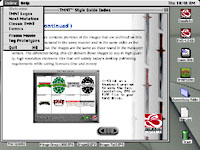 |
The next two windows explain how to use the Styleguide and the legal responsiblities of the user.The most important info is that to access the various sections of the program, the user will use a menu exactly like they are already used to. Also, it informs the user that to copy a image file to their hard drive, they simply need to click on a thumbnail image in the index and they will be presented with a 'Save' dialog box just as they would expect. |
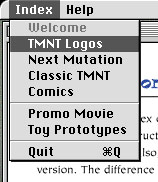 |
This is a close up of the menu used to pick an index to browse. It is clear and conforms to menus in most other programs that people are accustomed to. The menu is organized to match the index information contained in the CD jewelcase booklet. |
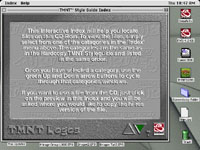 |
Thefirst window in each index again explains how to use the Interactive Index. Once more in case somebody gets confused. |
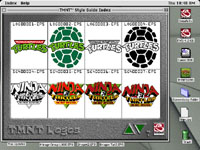 |
This is an example of what the index windows look like. Just clicking on an image presents a typical 'Save' dialog box and the user saves the chosen file to their computer where it can be edited for their specific purpose. |
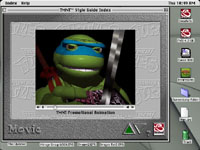 |
The CDRom Styleguide contains something that the hardcopy version doesn't. Movies and VR. There's a computer animation detailing, in an entertaining descent into a sewer, the timeline of the history of the licensing of the Teenage Mutant Ninja Turtles. This movie is available for viewing online. |
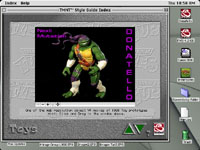 |
Next, some insider info! QuickTime VR movies of many of the prototypes of the next bunch of TMNT toys! Spin the toys 360 degrees for a good look. This VR movie is avalable for viewing online. |
 ...GO BACK